PDF
Receive and check
One file, a batch or a Watch Folder uses the selected production profile.
AUTOMATIC INTAKE FOR PRODUCTION PDFS
PreflightFlow checks every PDF and applies only the safe fixes you authorize. It then rechecks the output, classifies it as READY or REVIEW and routes it to the right queue.
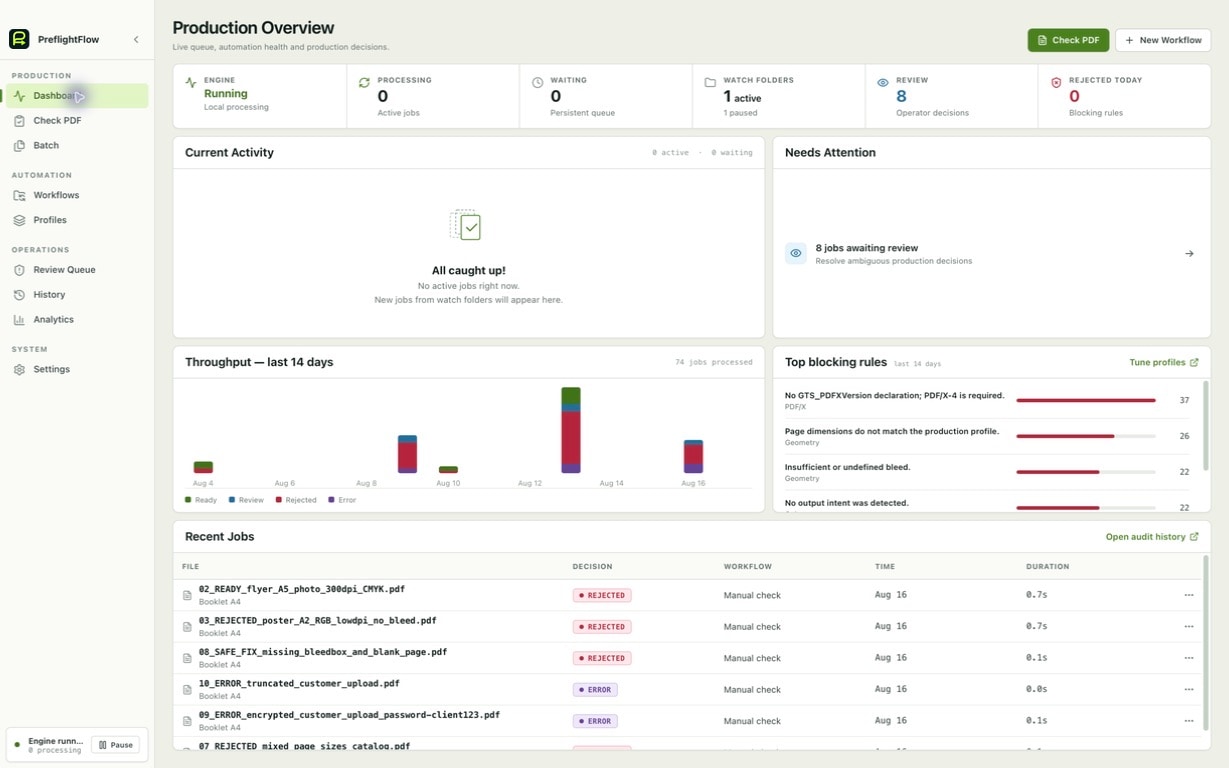
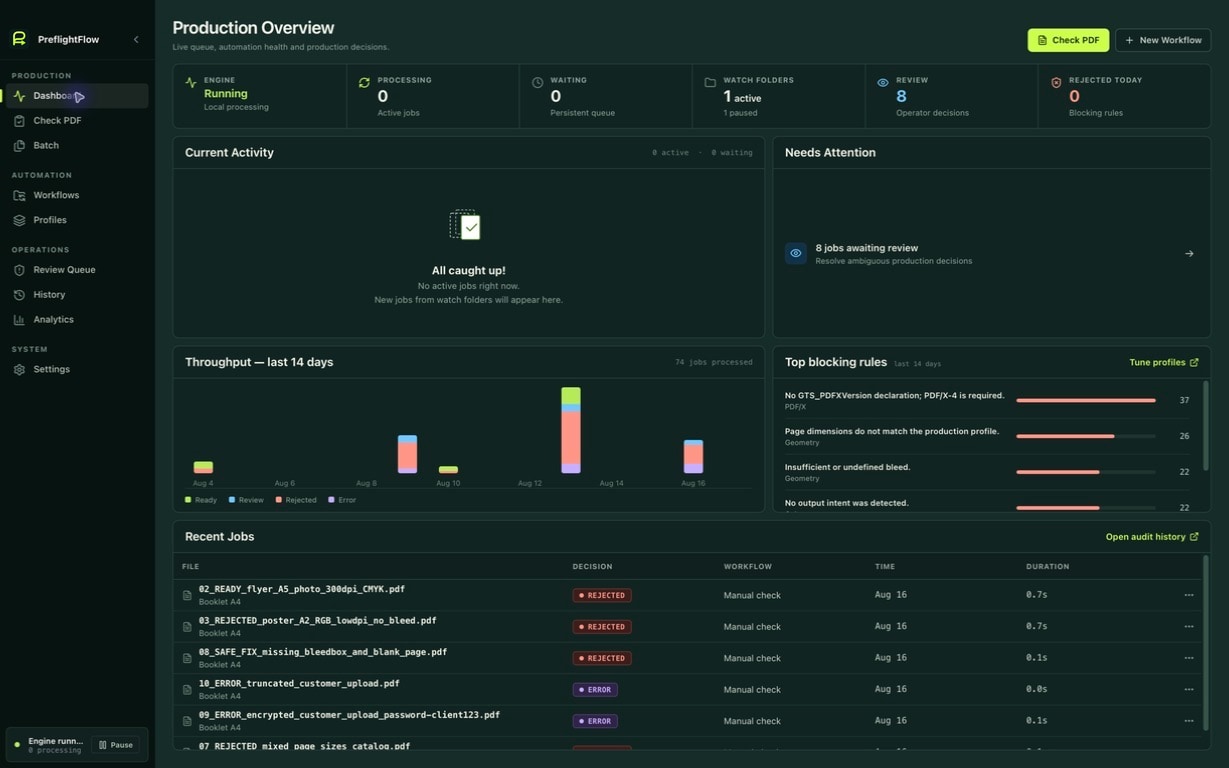
43 pass. 4 need your attention.
THE PRACTICAL GAIN
Automate repetitive checks. Focus on the exceptions.
*Illustrative, adjustable estimate.FROM INCOMING PDF TO THE RIGHT PRODUCTION QUEUE
Every correction capability in the engine
One file, a batch or a Watch Folder uses the selected production profile.
A fix runs automatically only when it is authorized, safe and deterministic.
Verified files reach the right queue. The original stays intact and traceable.
Production-focused preflight. Formats, resources, colors and PDF/X requirements are checked in the same flow.
BUILT FOR REAL PRINT PRODUCTION
Detect, automate, decide: every part of the application makes the next action immediately clear to the team.
Run the check on an incoming file. Issues are located, allowed safe fixes are applied to a new copy, then the result is checked again.
See how it works →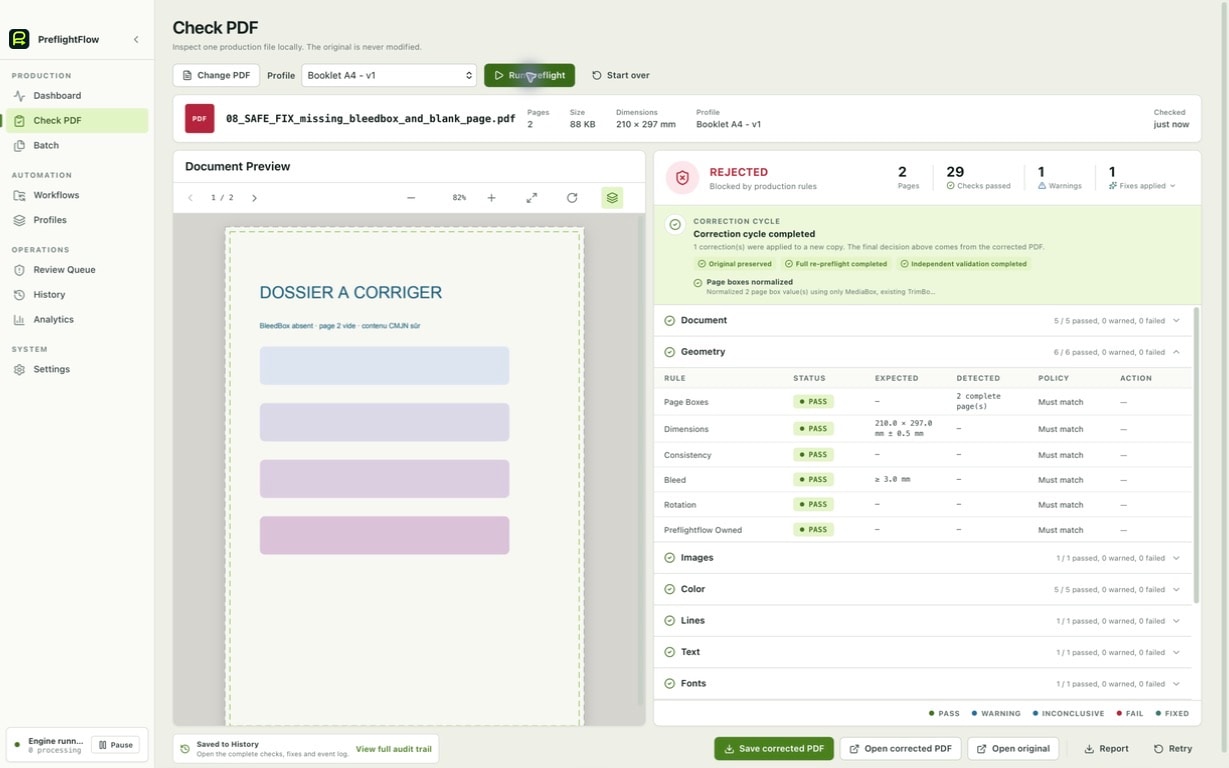
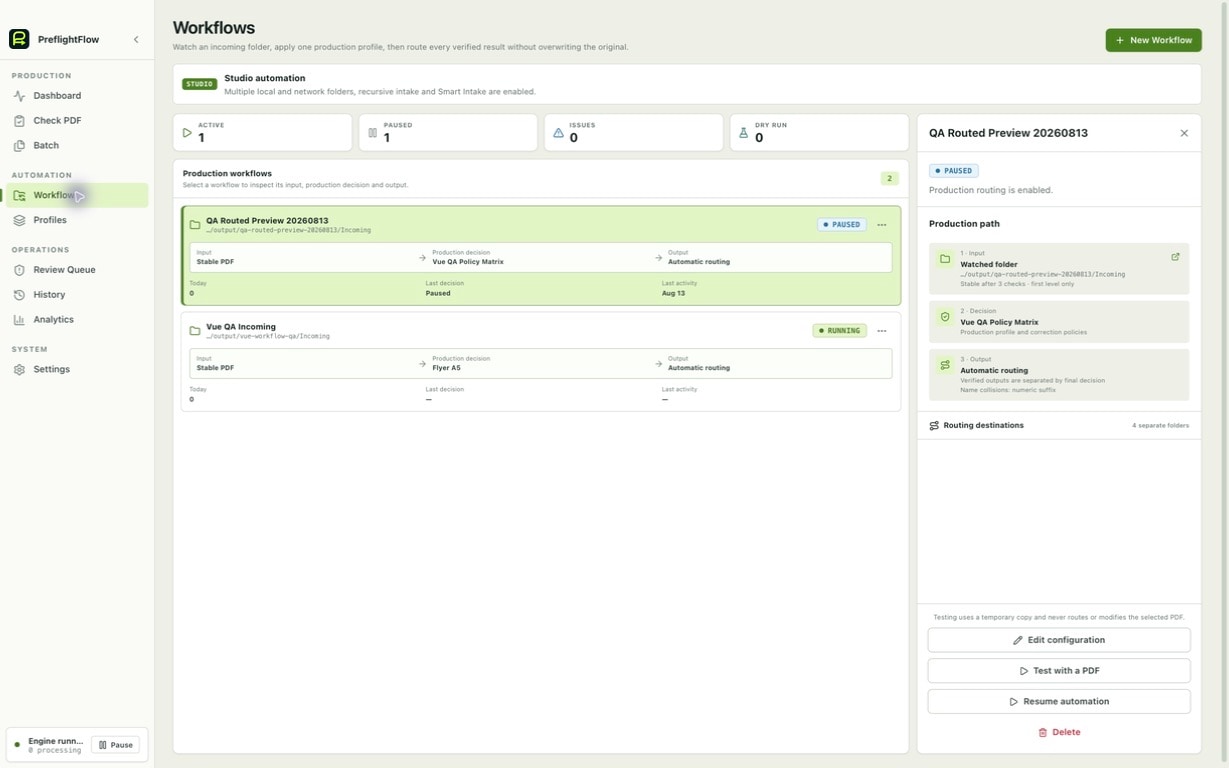
Watch local folders, SMB shares or UNC paths. Studio Smart Intake selects profiles only from explicit rules; ambiguous files always wait for an operator.
See the workflow →Conservative fixes always create a new PDF. Every output is checked again, then produces an exportable before/after proof and a plain-language client report.
See review controls →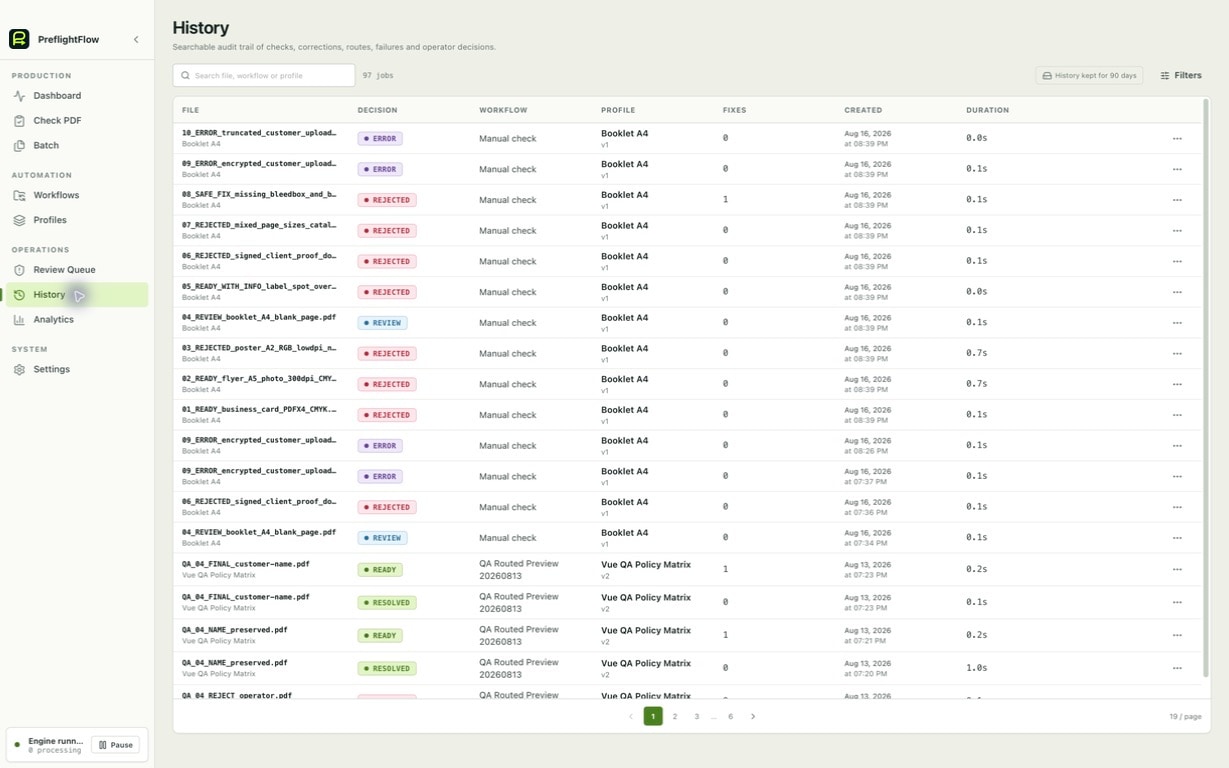
THE WHOLE FLOW, NOT JUST ANALYSIS
Four clear responsibilities, from the first check to the workshop decision.
Useful deviations are located with the expected value.
No output becomes READY without a complete new check.
The engine processes stable inputs and routes every result.
Operators immediately see what to decide and why.
FROM TECHNICAL ISSUE TO CLIENT REPLY
PreflightFlow groups findings into an illustrated client-friendly report, then prepares an email in your default mail app with the subject, requested corrections and your print-shop signature.
Bleed · Resolution · Colors
Illustrated PDF ready to attachHello, we checked your file…
Camille Martin · Prepress managerTHE PROOF IS IN THE APP
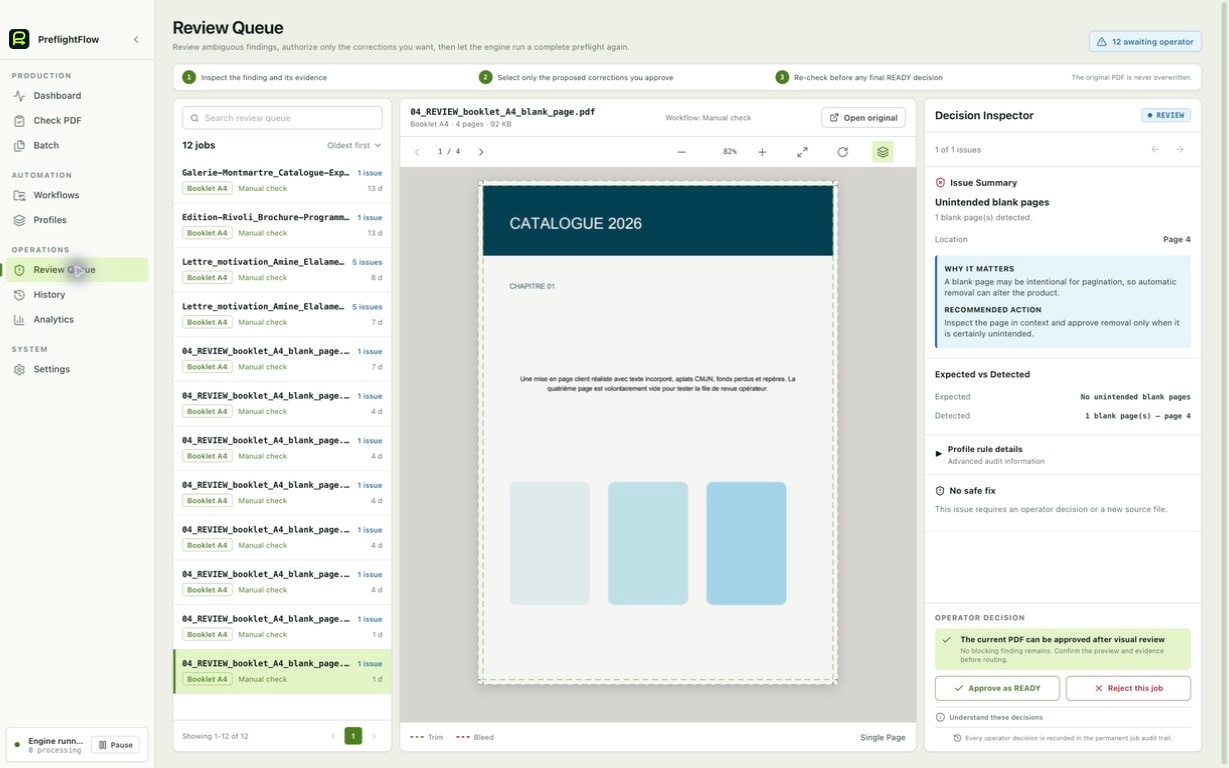
The review queue brings together the PDF, page marks, production rule and available action. Correction proofs retain SHA-256 identities, changed pages, authorized fixes, re-preflight and independent validation. GWG 2022 references are shown as traceability only, never as an unverified compliance claim.
No. PreflightFlow is a desktop application: PDFs, previews and corrected output stay on your workstation or your chosen network shares.
You explicitly start 14 days or 100 jobs of full Studio access, whichever comes first. No account, card or charge. It is device-bound; afterwards Free keeps 5 manual checks per month.
PreflightFlow analyzes PDF 1.3 through PDF 2.0 and recognizes the PDF/X-1a, PDF/X-3, PDF/X-4, PDF/X-5 and PDF/X-6 families. PDF/X-4 is its most fully supported production target. An unresolved inspection limitation prevents READY. READY applies to the selected profile’s checks: it is neither print-proof approval nor universal PDF/X certification.
Yes. PreflightFlow is available on macOS and Windows.
Yes. Pro includes one local Watch Folder; Studio adds unlimited local/network workflows, Smart Intake and advanced routing.
DON’T LET A PDF DECIDE FOR YOU